The 5 Sales Navigator Filters That Actually Book Meetings
Jan 20, 2026
I've tested every Sales Navigator filter for 10 years. Most of them are useless for booking meetings. Trust me, I am only here to save you time, my B2B sales community. My goal with this guide is to help you build lists that help your team hit quota.

The problem with most Sales Navigator searches is they surface people who match a profile but have no reason to talk to you right now. You end up with thousands of names that technically fit your target buyer, then you blast messages into the void and wonder why nobody responds.
I have been there doing this exact approach, only to end up frustrated wondering what I should do next.
Here is what is next.
Finding the filters that connect to revenue opportunities.
The filters that actually book meetings surface decision makers who are active and engaged.
After coaching over 100 B2B sales teams on LinkedIn Sales Navigator and outbound systems, I've narrowed it down to five filters that consistently outperform everything else and lead to the golden opportunities.
This article breaks down each filter, explains why it works, and shows you how to build a weekly rhythm that turns Sales Navigator into a meeting-booking machine for your entire sales organization.
Let's dive in.
Table of Contents
Why Most Sales Navigator Searches Fail
Filter 1: Viewed Your Profile Recently
Filter 2: Follows Your Company
Filter 3: Posted on LinkedIn in Last 30 Days
Filter 4: Years in Current Role (The 4-10 Month Sweet Spot)
Filter 5: Job Titles with Boolean Logic
The Weekly Implementation Rhythm
Turning Filters Into Pipeline
Why Most Sales Navigator Searches Fail
Sales Navigator gives you access to about 1 billion LinkedIn profiles. That is amazing for a sales team, yet at the same time it is the problem.
I have seen SDR teams and AE teams build searches based on static criteria like job title, company size, industry, and geography. Then they end up with lists of 50,000 people who technically match the buyer profile. Then they export those names into an outbound tool and start blasting without a thought.
This is not the way.
My issue with that: if you just match a profile, that doesn't mean someone is ready to have a conversation. A VP of Sales at a mid-market SaaS company might be your perfect buyer on paper, but if they just started last week or they haven't logged into LinkedIn in six months, the message you are going to send is going into the void.
The filters that book meetings focus on signals, not just profiles. These signals indicate timing, and we all know in outbound prospecting, timing is everything.
The five filters I'm about to share all have one thing in common.
They help you find people who have a reason to engage right now.
That's the difference between a list and a pipeline.
While everyone else exports 50,000 names into an automation tool and prays, you'll be reaching the 50 people who actually want to hear from you.
Filter 1: Viewed Your Profile Recently
LinkedIn is the only platform that allows you to see your profile views. When I do my workshops with SDR and AE teams, I heavily emphasize that you have to pay attention to this.
When someone views your profile, they've already shown direct interest. Especially if they come back more than 2 times. They saw your name somewhere, saw your messages, and got curious enough to click your profile to learn more.
My approach I suggest to people here is to send this person a message in the connection request or if they are 1st degree.
Here is an example:
"Saw you checked out my profile. What caught your eye?"
This question works because it's disarming. It simply opens a conversation based on something that actually happened. The response rate on profile viewer outreach is about 41% when I do this or coach others on the approach.
How to use this filter:
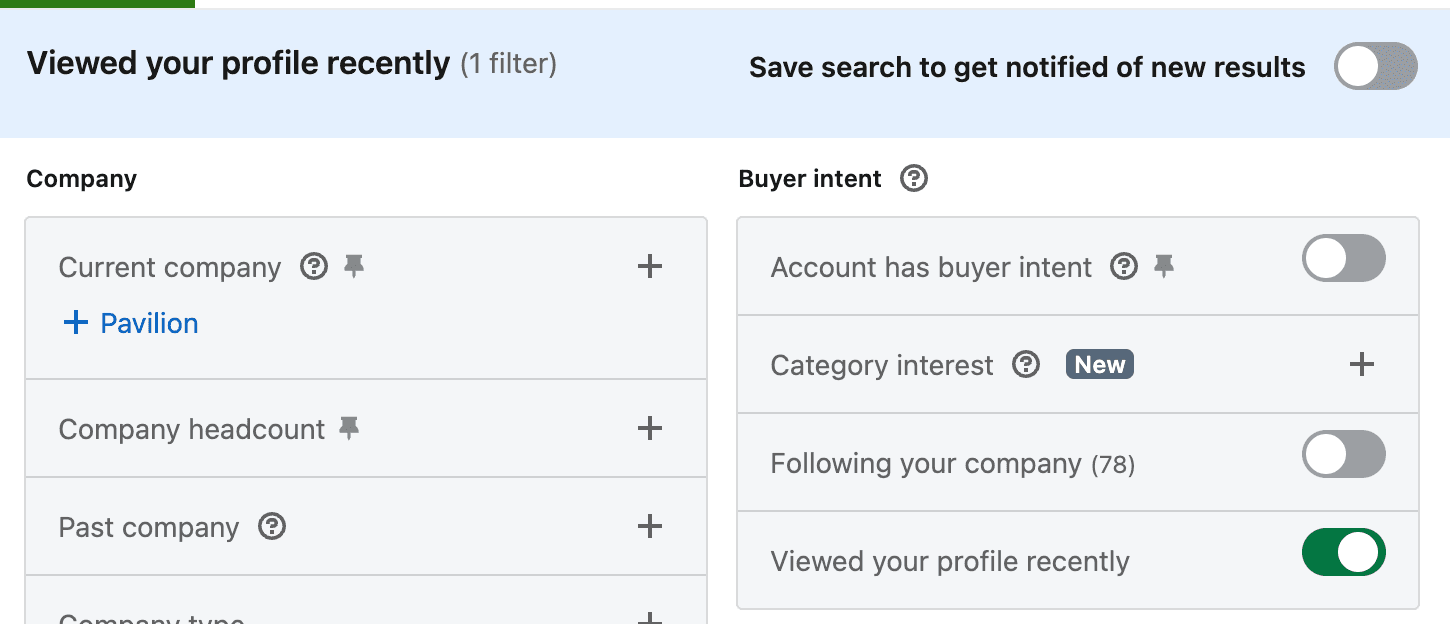
Check "Viewed your profile recently" in the Buyer Intent section of Sales Navigator. Review this filter at least weekly. When you see someone from a target account, reach out the same day while the curiosity is fresh. Bonus if you save this as a search to filter new leads that view your profile.
Filter 2: Follows Your Company
If you have over 1,000 followers on your company page, you need to be going hard at this as a sales organization. Most of you reading this are easily over that.
If you're below that, I'd encourage you to start creating content. But more importantly, connect with every single follower and start conversations with them.
Now let's get to the tactic.
Prospects who follow your company page have already opted in to hearing from you. They know your brand, they've seen your content, and they made a conscious decision to stay informed about what you're doing.
Congrats, we now have low-hanging fruit to spark a conversation with.
This is low-hanging fruit because they made an intentional decision to follow your company over all the other options on LinkedIn.
Now that we have that information, we have to use it in our outreach approach across our team.
Here is the play:
"Looks like you follow our company page. Typically when people follow our page, they are looking to address x, y, and z. Are you experiencing any of those?"
This question does two things:
It validates their decision to follow
Opens a conversation about their actual needs, which creates an opportunity to help
How to use this filter:
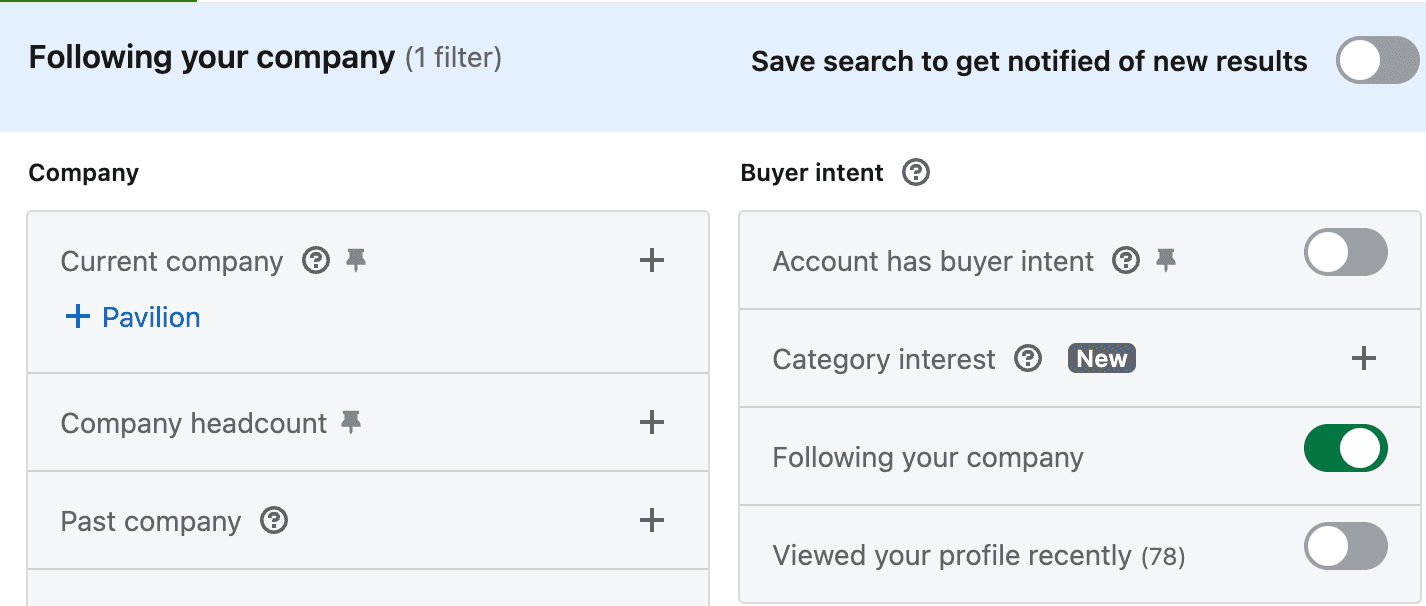
Check "Following your company" in the Buyer Intent section. Review this weekly and cross-reference with your target account list. Company followers from target accounts should get prioritized outreach immediately.
Filter 3: Posted on LinkedIn in Last 30 Days
Every single B2B sales team should have this as their go-to filter. No excuses across the board.
According to LinkedIn, active users reply 3X more often than inactive users.
That is why "Posted in the last 30 days" is the most underrated filter in the tool.
So let's think about this one. Let's say you're trying to start a conversation on LinkedIn. If someone hasn't logged in for three months, your message sits unread in their inbox until it gets buried. But if someone posted yesterday, they're actively checking the platform and are engaged.
The "Posted on LinkedIn" filter surfaces people who are actively participating on the platform right now. I wish it could track comments and engagement too, but the point remains that it surfaces people who are actively participating on the platform.
These aren't passive accounts. These are people who care enough about LinkedIn to create content, share ideas, and engage with their network.
The outreach approach here is powerful because you have something specific to reference. Go read what they posted. Comment on it thoughtfully.
Then send a message that references their content:
"Saw your post about pipeline forecasting. The point about leading indicators really resonated. A lot of leaders I talk to are wrestling with the same challenge."
This approach works because it proves you paid attention. You're not sending a generic message to a name on a list. You're engaging with something they actually said. That proof of attention earns attention in return.
How to use this filter:
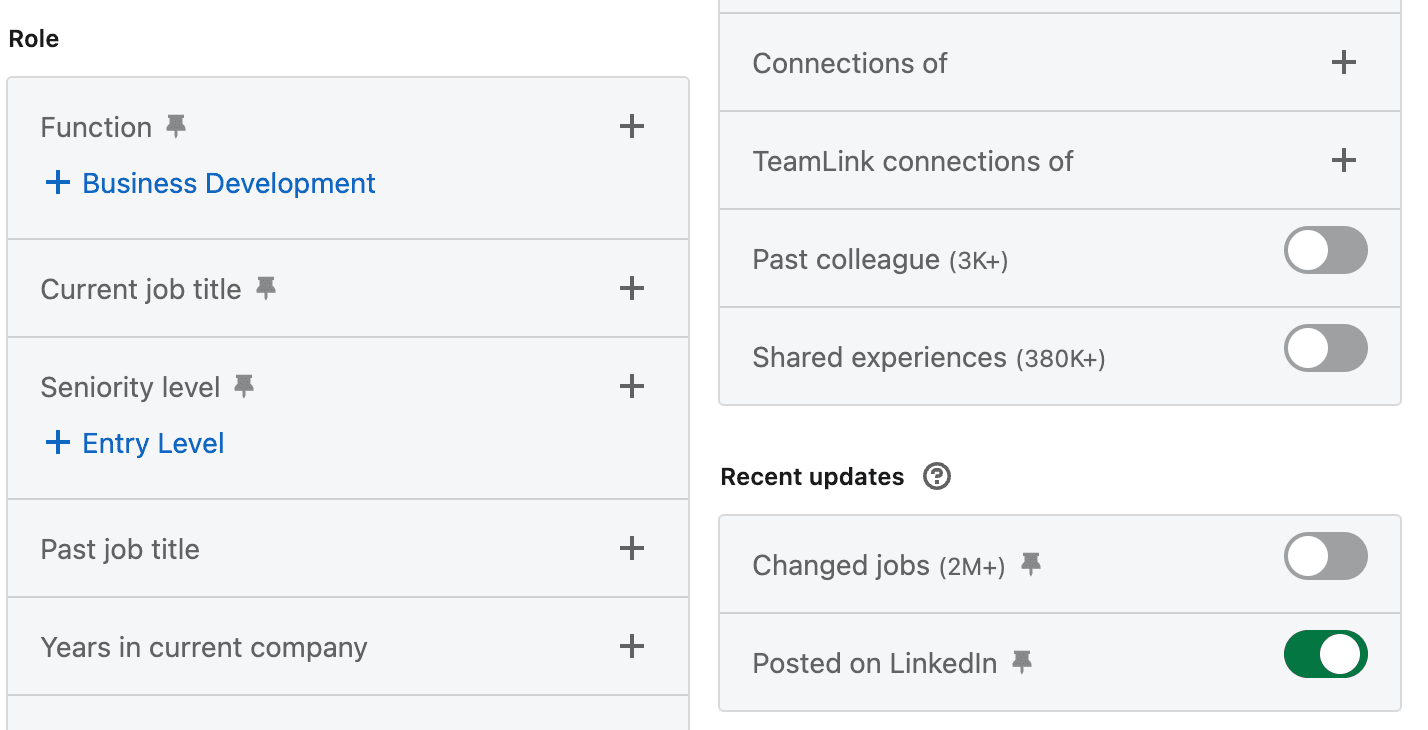
Check "Posted on LinkedIn" under Recent Updates. This should be a daily check—your heartbeat motion as a sales team. Combine it with your job title filters to find active prospects in your target accounts.
Filter 4: Years in Current Role (The 4-10 Month Sweet Spot)
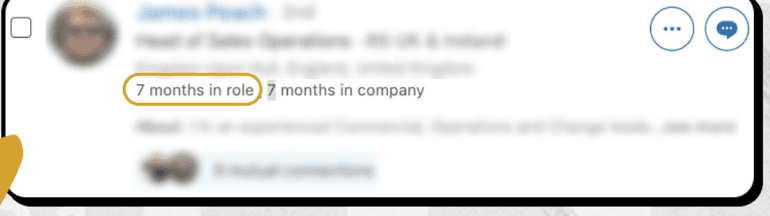
This has been a new approach that most of the sales team I work with have found to work really well. Finding people who are ready to make moves after being at the company for a while but not too long.
Everyone reading this has started a new job at some point. You come into the org within the first 1-3 months and you have no clue what is truly going on yet because you are still trying to find the bathroom and log into your Gmail.
In the first three months, new leaders are most likely drowning. They're learning the org, meeting their team, understanding the politics, figuring out what they inherited. They don't have time for sales conversations.
However, the sweet spot is 4-10 months in role.
By month four, they've diagnosed the situation. They know what's broken and they may start looking to see who can help solve that problem.
This is the time where most reps won't be reaching out as much because we've passed the "changed jobs 90 day" period in Sales Nav, which everyone uses.
Since they're open to new approaches, this is our time to reach out.
After month ten, the window starts closing. By year one, most leaders have established their approach. They're executing on plans they already built. Changing direction becomes harder because they're invested in what they've already started.
How to use this filter:
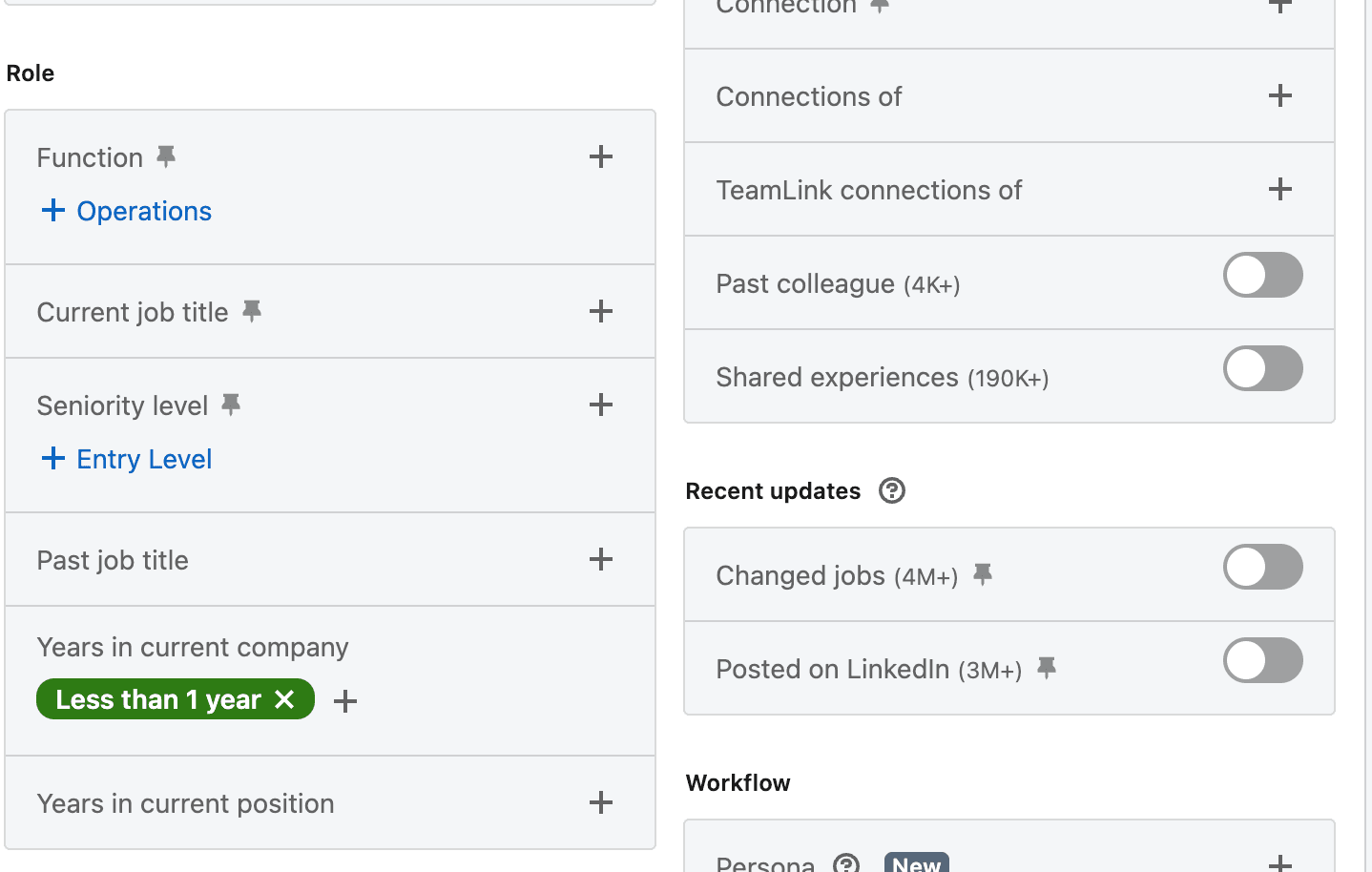
Select "Less than 1 year" under "Years in current company." Then manually check profiles to identify people in the 4-10 month range. When you find someone in this window, your outreach should acknowledge the transition:
"Looks like you took on the VP role about six months ago. Typically when I see that, leaders are starting to put their stamp on the outbound motion. Is that accurate?"
Filter 5: Job Titles with Boolean Logic
I know this filter is obvious, but it needs to be highlighted.
The point of Sales Navigator is to target decision makers faster. Job titles let you do that. But if you only search for exact titles, you miss half your buyers. Titles vary wildly across companies. One company's "VP of Sales" is another company's "Head of Revenue" is another company's "Chief Commercial Officer."
Boolean logic solves this problem. Instead of searching for one title at a time, you search for multiple variations in a single query:
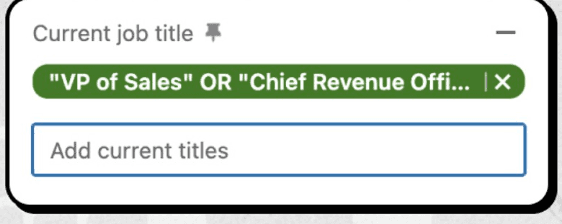
"VP of Sales" OR "Vice President of Sales" OR "Head of Sales" OR "Chief Revenue Officer" OR "CRO".
The other mistake sales teams make is only targeting the top of the org chart. Yes, you want to reach decision makers. But you also want to reach the people who influence decisions. The Director of Sales Development might not sign the check, but they often drive the evaluation process. Building relationships at multiple levels increases your odds of getting a real conversation.
How to use this filter:
Build Boolean strings that capture all the title variations for your target buyers. Include both executive-level titles and the roles one level below who influence decisions. Save these searches so you can run them consistently without rebuilding each time.
The Weekly Implementation Rhythm
My coaching here is to treat Sales Nav as part of your system to outbound.
Here's the weekly rhythm I teach teams to turn these filters into predictable pipeline:
Monday: Review job titles and new posts. Start the week by running your saved Boolean searches. Look for new prospects who match your criteria. Cross-reference with the "Posted on LinkedIn" filter to identify active users in your target accounts. Build your outreach list for the week.
Wednesday: Check company followers. Mid-week, review who's following your company page. Look for new followers from target accounts. These are people who just opted in to hearing from you. Reach out while the interest is fresh.
Friday: Review profile viewers and tenure. End the week by checking who viewed your profile. Prioritize viewers from target accounts and reach out immediately. Also review your "Years in current role" searches to identify leaders in the 4-10 month sweet spot.
This rhythm takes about 30 minutes total across the week. That's 30 minutes to surface the highest-quality prospects in your territory, people who are active, interested, or in motion. The ROI on that time investment is massive compared to blasting cold messages to static lists.
Consistent check-ins create a consistent pipeline. The sellers who treat these filters as a system, not a one-time activity, are the ones booking meetings when everyone else is struggling.
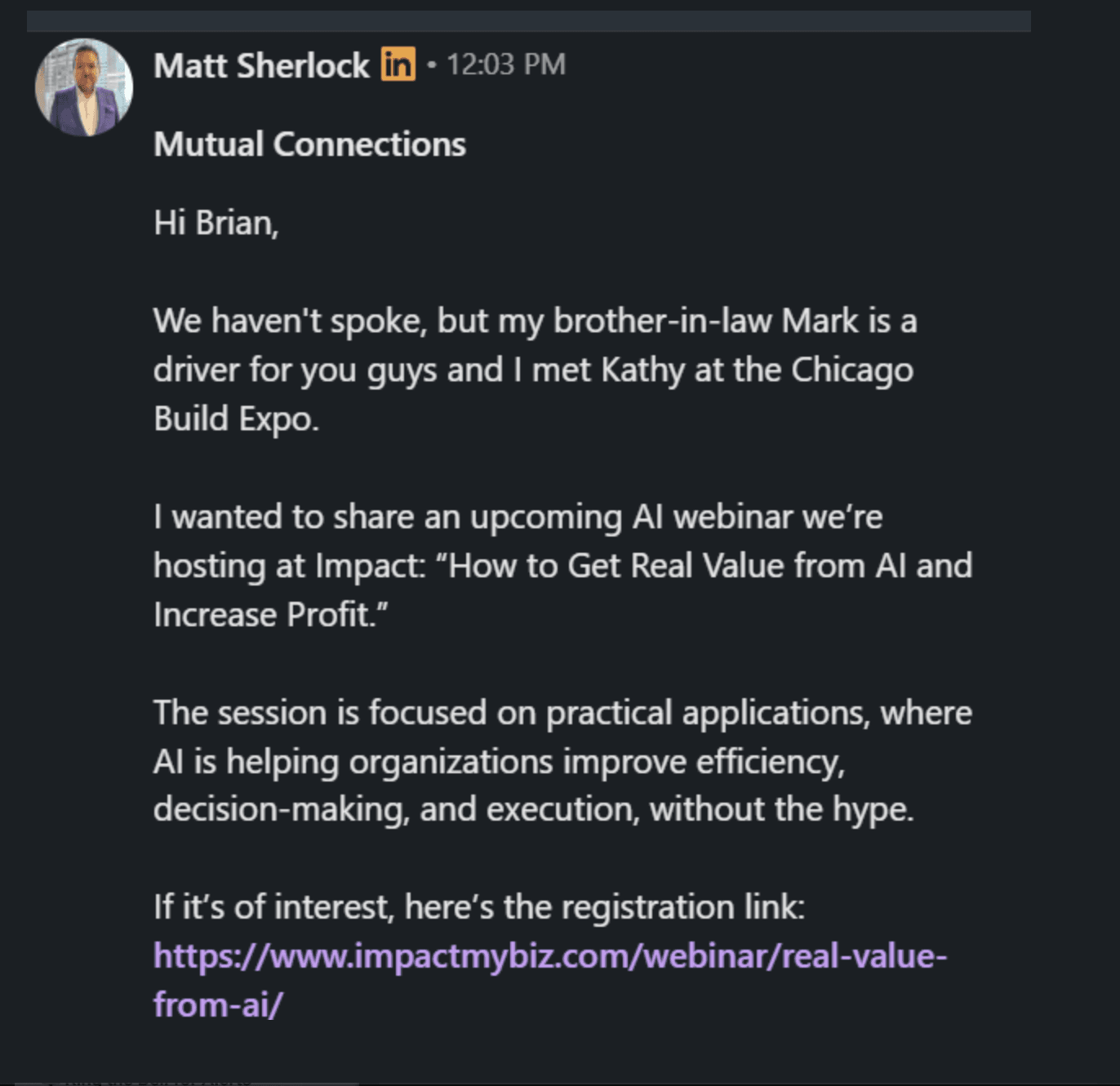
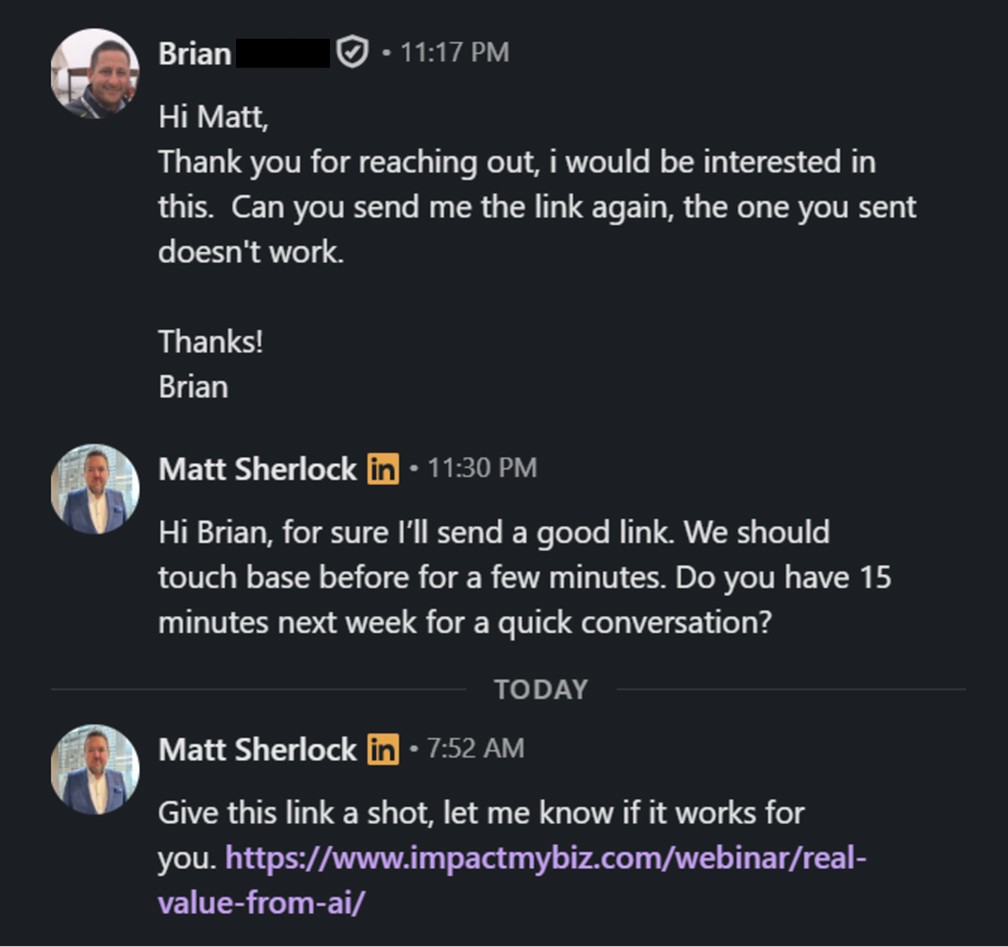
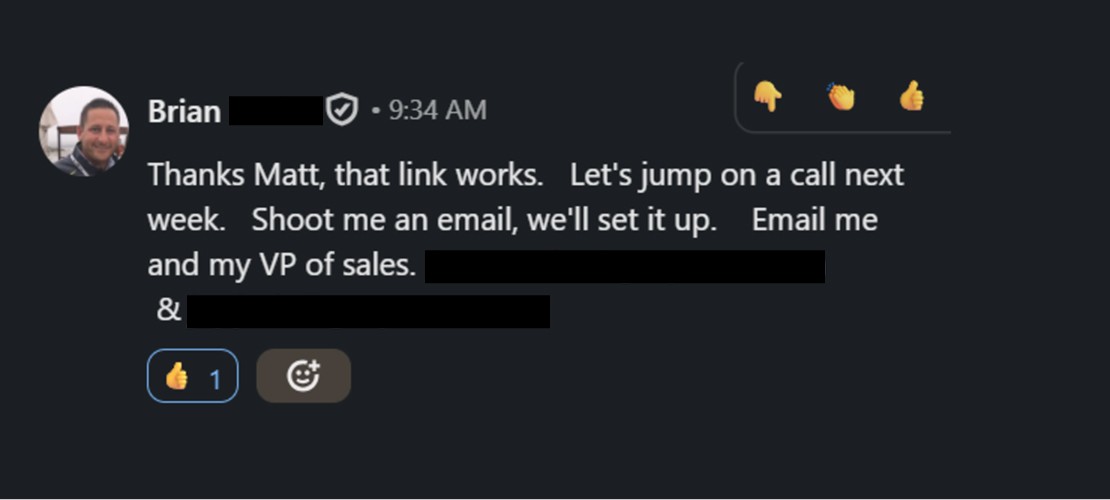
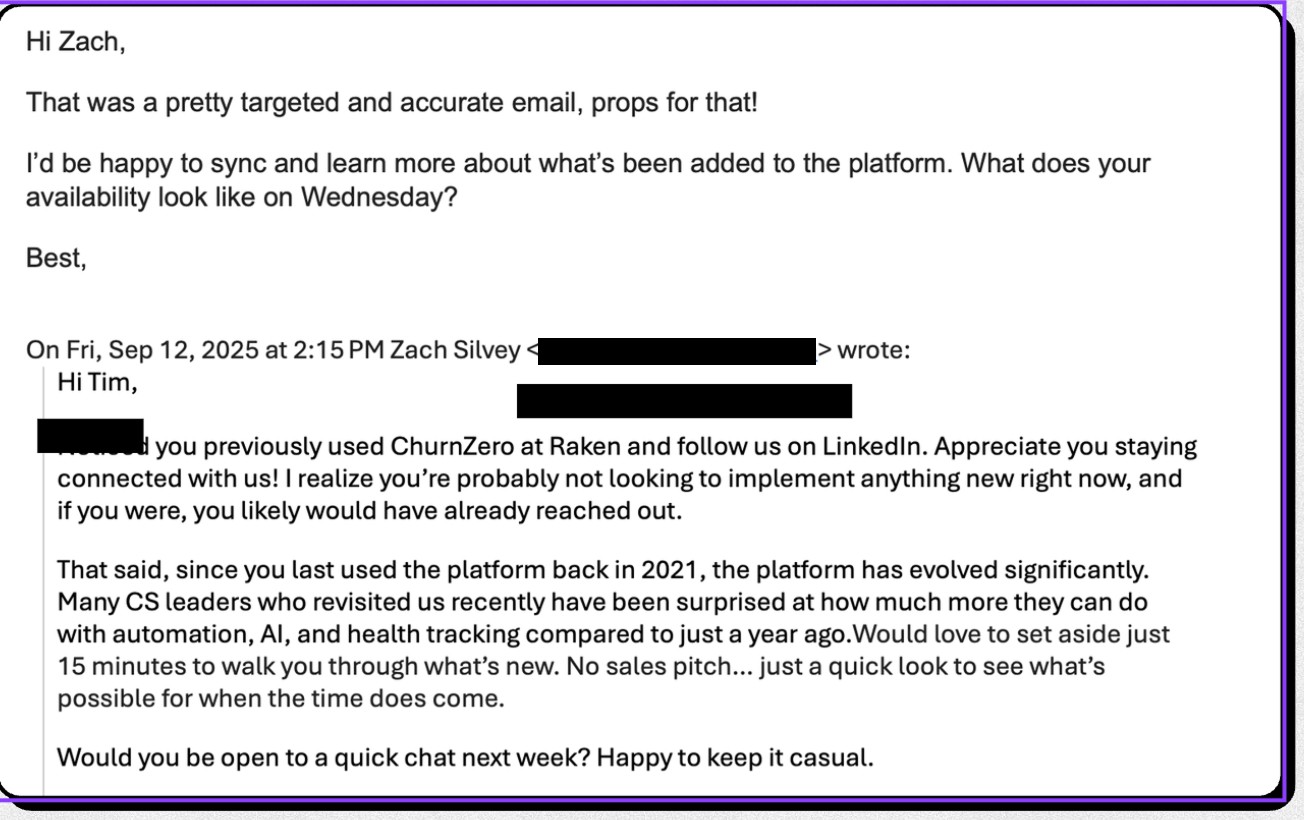
Here are some results of what it looks like in action:
Turning Filters Into Pipeline
Sales Navigator is only as powerful as you make it. From the data that I have been told, only 20% of people use their license. The tool isn't the problem, it's how we all use it.
By using these five filters in your rotation, your team will be way more confident in their approach.
Once you start stacking these filters, it will guide your team to build the weekly rhythm to execute and consistently use Sales Nav the right way.
In a world where everyone is automating their prospecting, these filters help you find people worth a real conversation. That's the difference between spam and sales. That's the difference between hitting quota and wondering what went wrong.
That's how you turn filters into pipeline.
AMP Social teaches B2B sales teams how to turn Sales Navigator into a meeting-booking system. These filter strategies are core parts of our Sales Team Six program, where sellers learn to combine smart targeting with observation-based messaging across LinkedIn, phone, and email. If your team has Sales Navigator licenses but isn't booking meetings consistently, we should talk. Learn more attheampsocial.com.
© 2025 LinkedIn Pipeline Generation. All rights reserved.
Privacy Policy
Terms of Service